
Detailed Workflow
Coverage Handover Workflow (Shift-Change Failure Deep Dive)
A structured handover workflow that protects service continuity during shift transitions and prevents coverage gaps in live operations.
- Scope: Detailed Workflow
- Built for practical day-to-day operations
- Time to apply: 30-90 minutes
- Updated: recently
Problem
Coverage handovers often fail in a predictable way: the schedule changes on time, but ownership does not. Work is still live, queues are still moving, and critical context sits in scattered notes. Within one short interval, small gaps become visible service issues, escalations, and repeated explanations that frustrate both teams and customers.
Target outcome
When shifts change, the team stays calm and aligned instead of scrambling. Everyone can see who owns each active stream, what risks are in motion, and when the next stabilization check happens. Incoming leads start with clarity, outgoing leads can sign off confidently, and customers feel continuity instead of disruption.
Governance principle
Service continuity depends on explicit ownership at every moment. Shift transitions must be treated as controlled transfers, not passive schedule events.
When to use this
- You run multiple shifts within one business day
- Queue or channel ownership changes by time block
- Recurring friction appears during break or shift transitions
- Escalations cluster around shift changes
Roles and ownership
- Outgoing Lead: Provides structured state snapshot and identifies at-risk streams.
- Incoming Lead: Confirms ownership and validates stabilization plan.
- Scheduler Or Realtime Coordinator: Ensures coverage floors remain intact during transition.
- Operations Manager: Reviews recurring transition failures and adjusts governance rules.
Workflow steps
Step 1: Snapshot the current state
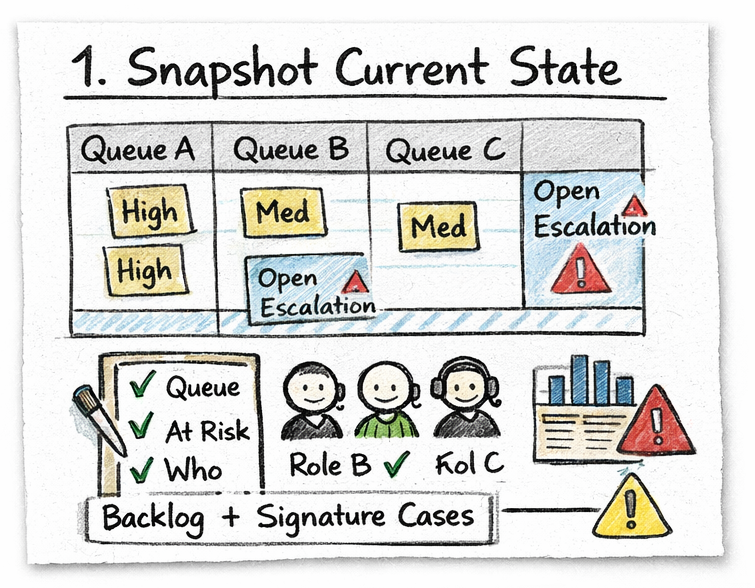
Create a real-time operational snapshot before ownership changes.
Why it matters: Handoffs based solely on schedule timing ignore live load conditions, increasing the risk of hidden coverage exposure.
Actions:
- Review live queue volume, backlog, and priority distribution
- Identify channels or queues above baseline load
- Confirm currently active staff by role and channel
- Flag any in-progress escalations or sensitive cases
Signals to watch:
- Unassigned high-priority requests
- One role covering multiple high-demand channels
- Backlog increasing in the last 30 minutes
- Queue age exceeding acceptable threshold
Decision logic:
- If queue age exceeds threshold → delay non-critical break transitions
- If backlog accelerating → add temporary buffer coverage before transfer
- If escalations active → assign named owner before handoff completes
Common failure mode: Teams hand over based on planned schedule instead of live operational state.
Step 2: Transfer explicit ownership
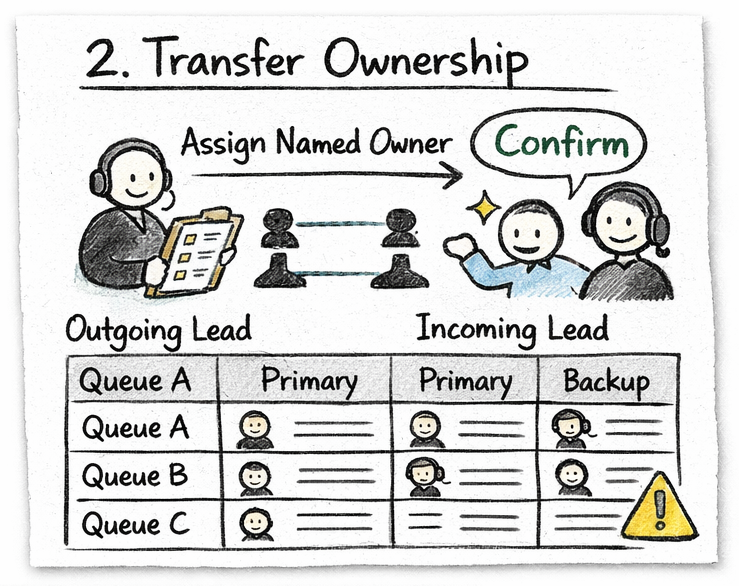
Ensure every active stream has a clearly named primary and backup owner.
Why it matters: Implicit ownership creates service gaps and repeat explanations.
Actions:
- Assign named owner per queue, channel, or service stream
- Confirm one backup owner per critical channel
- Log handoff notes in a single shared, visible location
- Confirm acknowledgment from incoming lead
Signals to watch:
- Open work without named owner
- No backup defined for critical queues
- Handoff notes fragmented across multiple chat threads
- Repeat explanations to customers immediately after shift change
Decision logic:
- If any queue lacks named owner → block shift sign-off
- If backup unavailable → escalate coverage risk before release
Live controls:
- Queue ownership board visible to entire team
- Ownership required field for all active streams
- Handoff completion confirmation before outgoing lead signs off
Common failure mode: Ownership is implied instead of documented and confirmed.
Step 3: Stabilize the next 90 minutes
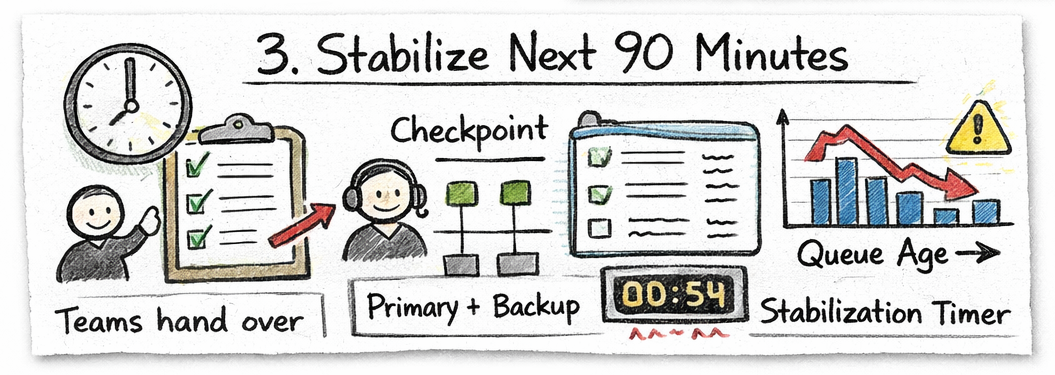
Protect coverage and prevent immediate drift after transfer.
Why it matters: Most coverage incidents occur within the first hour after handoff.
Actions:
- Re-check coverage against expected short-interval demand
- Rebalance one role if any channel shows exposure
- Schedule next checkpoint review within 60–90 minutes
- Monitor queue age acceleration trend
Signals to watch:
- Coverage below defined minimum thresholds
- Queue age rising within 30 minutes of transfer
- Break overlaps compounding transition exposure
- Escalations triggered shortly after shift change
Decision logic:
- If coverage floor violated → trigger immediate role rebalance
- If queue age increases faster than baseline → freeze non-essential transitions
- If multiple channels exposed → temporarily assign floating backup
Live controls:
- 15-minute coverage floor validation
- Early warning alert for queue age increase
- Stabilization checkpoint timer
Common failure mode: No early stabilization checkpoint, so transition gaps are detected too late.
Artifacts
- Handover checklist: Structured checklist covering live load, role availability, escalations, and ownership confirmation.
- Queue ownership board: Shared visible board assigning primary and backup owners per channel.
- Coverage stabilization log: Short-interval monitoring log for the first 90 minutes post-handoff.
- Transition exception tracker: Log capturing recurring failure causes during handoffs.
Operational metrics
- Queue age delta within first 60 minutes post-handoff
- Ownership compliance rate
- Escalation volume within 90 minutes of shift change
- Repeat customer explanation rate
- Transition-related coverage floor violations
Related search angles
- shift handover process
- front desk handover checklist
- operations handoff workflow
- service continuity during shift change
Go deeper
- Start with: Shift-Change Handover Failure Quick Guide
- Operating playbook: Shift-Change Handover Failure Playbook
- Detailed workflow (this page): Coverage Handover Workflow
How this fits your scheduling stack
- Plan: Shift Scheduling Software
- Assign: Staff Scheduling Software
- Leave: Leave Management Software
- Control: Intraday Scheduling Resource Hub
Pick your next step
- Start free trial
- Watch 10-min walkthrough
- Get implementation checklist
- Talk to operations specialist
Next step
Next actions